Projects / NMEATouch20
NMEATouch20
A touchscreen AIS and NMEA display built on the low-cost Guition ESP32-S3 4848S040 — a compact all-in-one unit with a 480×480 touch LCD. It receives NMEA 0183 and AIS data over WiFi from your boat network — for example from the NMEA WiFi Bridge project or any NMEA 2000 WiFi gateway. No wiring, no soldering, no hardware build required. The hardware is a standard module available online for around £20–£25 — the firmware and build guide are completely free. Power it from USB, flash the firmware in one click, configure from a browser, and it is ready to use. Displays speed over ground, course over ground, and a live table of AIS targets — including how far ahead or behind each vessel you will pass.
What it does
NMEATouch20 receives NMEA 0183 and AIS data over UDP from your boat network — for example from the NMEA WiFi Bridge project — and presents it on a clear touchscreen display. If your boat has an NMEA 2000 network, this unit is fully compatible. Third-party NMEA 2000 WiFi gateways read the CAN bus and transmit standard NMEA 0183 sentences onto the boat WiFi — the same format NMEATouch20 reads. No special configuration is needed (not yet confirmed by the author — reports welcome).
The centrepiece of the AIS screen is the passing ahead / passing behind display. For each AIS target on a converging course, the unit shows how far ahead of the other vessel’s bow, or behind her stern, you will pass.
This matters because CPA — closest point of approach — is measured between AIS antennas, not between the hulls. Ship antennas are typically mounted at the stern, so on a 400-metre vessel the antenna can be nearly a quarter of a mile behind the bow. A CPA of 0.3 miles past the antenna could still mean passing very close to the bow. By knowing how far ahead of the bow you will pass, and whether speeding up or slowing down increases that margin, you get a clear and actionable picture of your actual clearance. The unit accounts for the length of the vessel ahead of her antenna when making this calculation.
This is particularly useful when crossing a busy shipping lane at right angles: you can see immediately whether you will clear the projected track with a comfortable margin, and which adjustment — a little more speed or a little less — gives you the most room.
The AIS target table also shows range, bearing, CPA, and TCPA for all visible vessels. Speed and course screens give large, easy-to-read readouts from your instruments. NMEATouch20 connects to the same UDP/TCP NMEA stream as your chart apps, so Navionics, iNavX, and similar apps continue to work alongside it.
Key features
- ▸Passing ahead / passing behind — shows your clearance ahead or astern of each vessel, accounting for vessel length ahead of the AIS antenna
- ▸Vessels breaching your minimum separation distance are highlighted in pink — instantly visible at a glance
- ▸Class A vessels that are turning are highlighted in purple — early warning of a course alteration before it shows up as a bearing change; not provided by most low-cost AIS units
- ▸Live AIS target table with CPA, TCPA, range, and bearing
- ▸SOG and COG screens with large, clear readouts
- ▸Trip log — a resettable nautical miles odometer, like a trip computer for your boat
- ▸SD card encounter history — insert a formatted card and the unit records every vessel that comes within 1 mile; check later whether you passed that yacht last summer
- ▸480×480 capacitive touchscreen — bright display, best viewed in shade or indoors
- ▸No wiring or soldering — buy the Guition unit, flash, configure, and use
- ▸Connects to vessel WiFi (STA mode) or runs as its own hotspot (AP mode)
- ▸Accepts NMEA 0183 and AIS over UDP — also expected to work with NMEA 2000 over WiFi
- ▸UDP and TCP NMEA output — all chart apps continue to work
- ▸Browser-based configuration — no app to install
- ▸Dynamic AIS target expiry based on official reporting intervals
Hardware
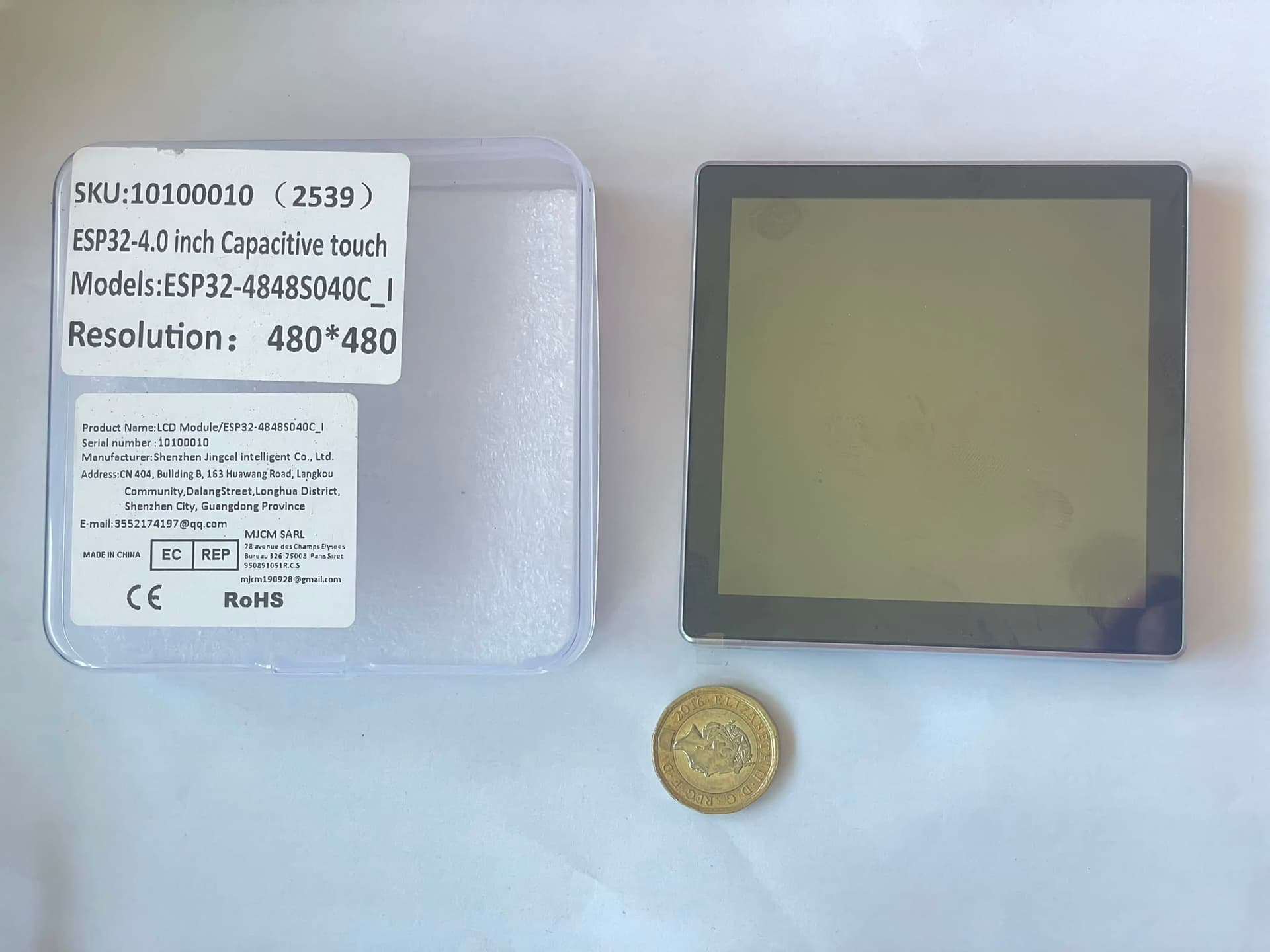
The project uses the Guition ESP32-S3 4848S040 — an all-in-one module combining an ESP32-S3 microcontroller, 480×480 LCD, GT911 capacitive touch controller, and optional SD card slot on a single compact board. It is widely available from AliExpress, Amazon, eBay, and other online suppliers for around £20–£25. The firmware is free to download and flash — there is nothing to buy from this website.
No additional components, wiring, or soldering are required. Flash the firmware using the button below, run through the browser setup, and it is ready to use.
The unit is not waterproof. Mount it inside the cabin or in a sheltered position where it will not be exposed to rain or spray. The display is best viewed in shade or in a dimly lit interior; direct sunlight will wash it out.
Screens
Swipe or tap the arrow button to cycle through the screens. Each can be individually enabled or disabled in the configuration page.
What the screens look like
Two of the main screens. VB DOLPHIN (red) is in alarm — your vessel is projected to pass only 0.4 NM ahead of her bow, inside the configured threshold. VB CHEETAH (amber) has an active CPA/TCPA calculation under way.
AIS targets
Trip log
These are HTML approximations of the actual screens for illustration purposes and may not reflect every detail of the current firmware.
Flash firmware
Connect the Guition ESP32-S3 4848S040 to your computer using a good quality USB-C cable, then click the button below. This flashes the firmware and the filesystem image in one step — no manual file selection required.
Requires Chrome or Edge on a desktop computer (Web Serial API). Firefox and Safari are not supported.
First time setup
After flashing, the unit starts in access point mode with its own WiFi hotspot. Connect to it using the default credentials below, then open a browser and navigate to 192.168.4.1 to reach the configuration page.
Default AP credentials
SSID: screen1
Password: Epoxy123
Config page: http://192.168.4.1
You will need to enter at minimum:
- Your vessel's MMSI number — required to exclude your own vessel from the AIS target list
- Your boat WiFi SSID and password if you want the unit to join your existing network rather than run as a standalone hotspot
Save the settings and the unit will restart. If you entered your boat WiFi credentials it will connect to that network; otherwise it continues as a hotspot. Either way it is now ready to receive NMEA and AIS data.
To reset all settings back to factory defaults, reflash the unit using the button above. The Guition module has no physical reset button — reflashing restores the firmware and clears the saved configuration, returning the unit to AP mode with the default credentials above.
See the quick start guide for a walkthrough of these settings.
What the configuration page looks like
Tritium NMEA Display
Support this project
This project is free to use. If it saved you the cost of a commercial display, a small voluntary contribution helps fund future projects.
Support TritiumThird-party open-source components used in this project are listed on the licences page.
16